
Some customers may experience issues using mobile hotspot when connecting their Streamline3 mobile to their PC. Below are some steps to get this up and running (you should only need to do this once):
- Connect to your Samsung's hotspot as per normal
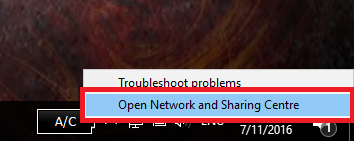
- Right click the networking status icon on your computer and select Open Network and Sharing Centre
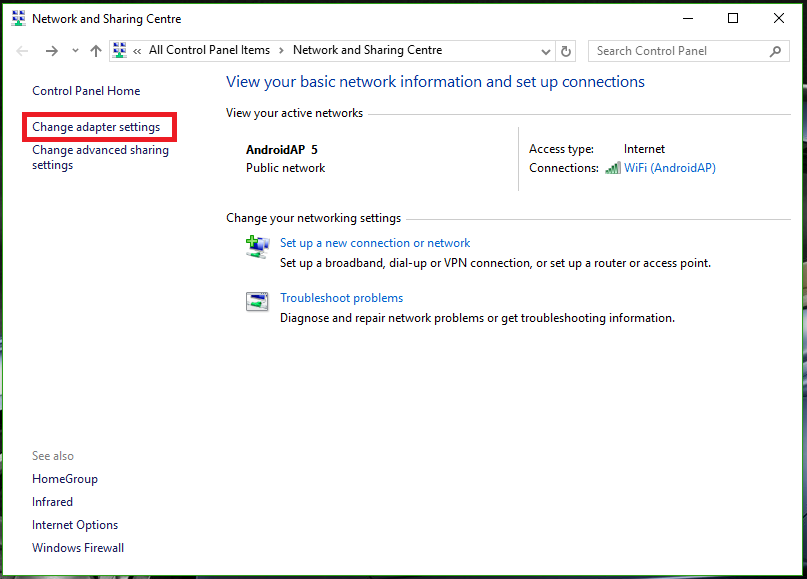
- In the next window, click Change adapter settings
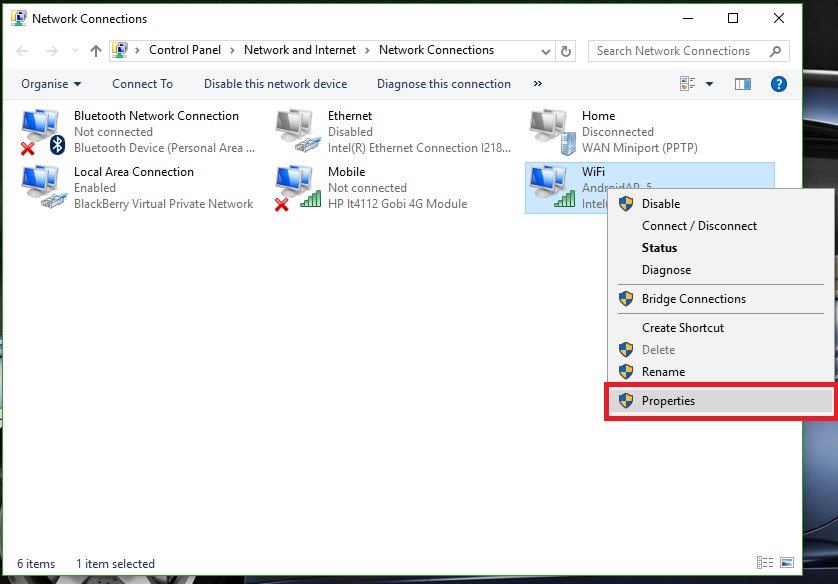
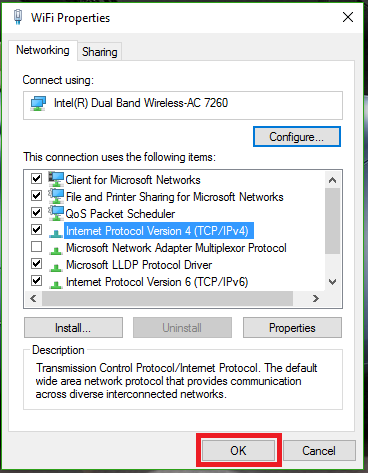
- Right click your wireless adaptor and click Properties
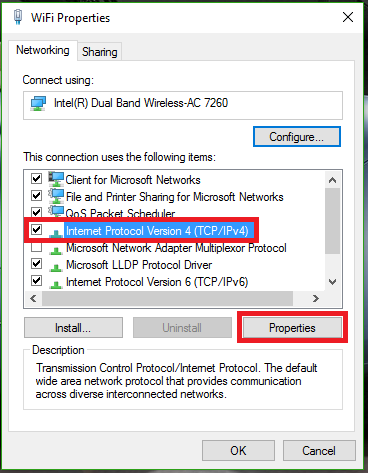
- In the next window, click Internet Protocol Version 4 (TCP/IPv4) and then click Properties
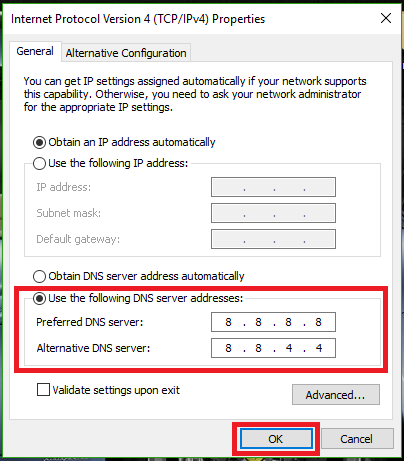
- Click Use the following DNS Server addresses
- In the Preferred DNS Server box, type 8.8.8.8
- In the Alternative DNS Server box, type 8.8.4.4, Click OK
- Click OK again
- Your internet should now work.
Comments
0 comments
Please sign in to leave a comment.