
Due to the way the Streamline3 for Android infrastructure works, Google Searches will default to google.com.au and show Australian results
Please see below for details on how to add a shortcut to Google NZ to your Home Screen
- Open Google Chrome
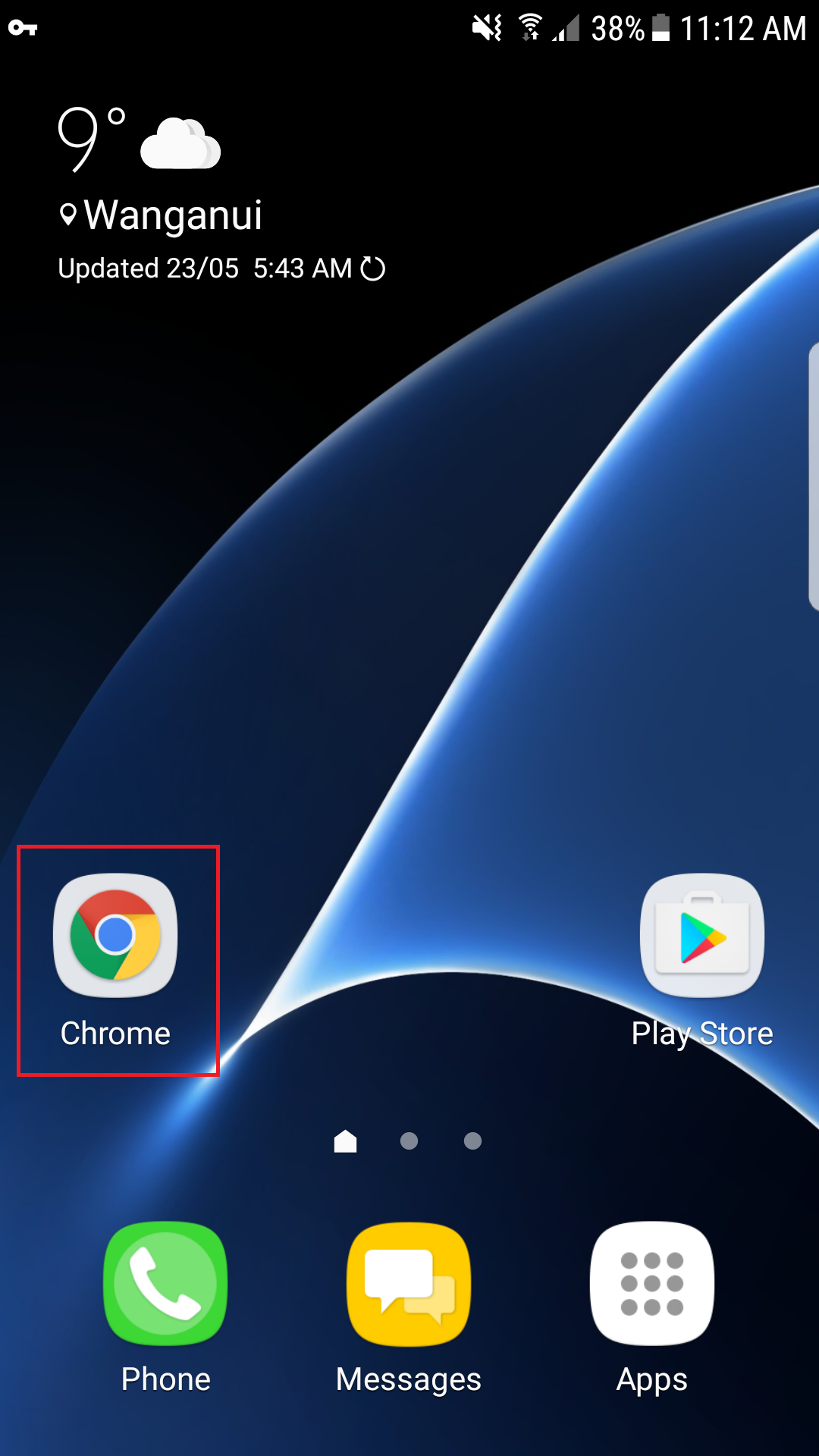
- Tap the address bar at the top of the screen

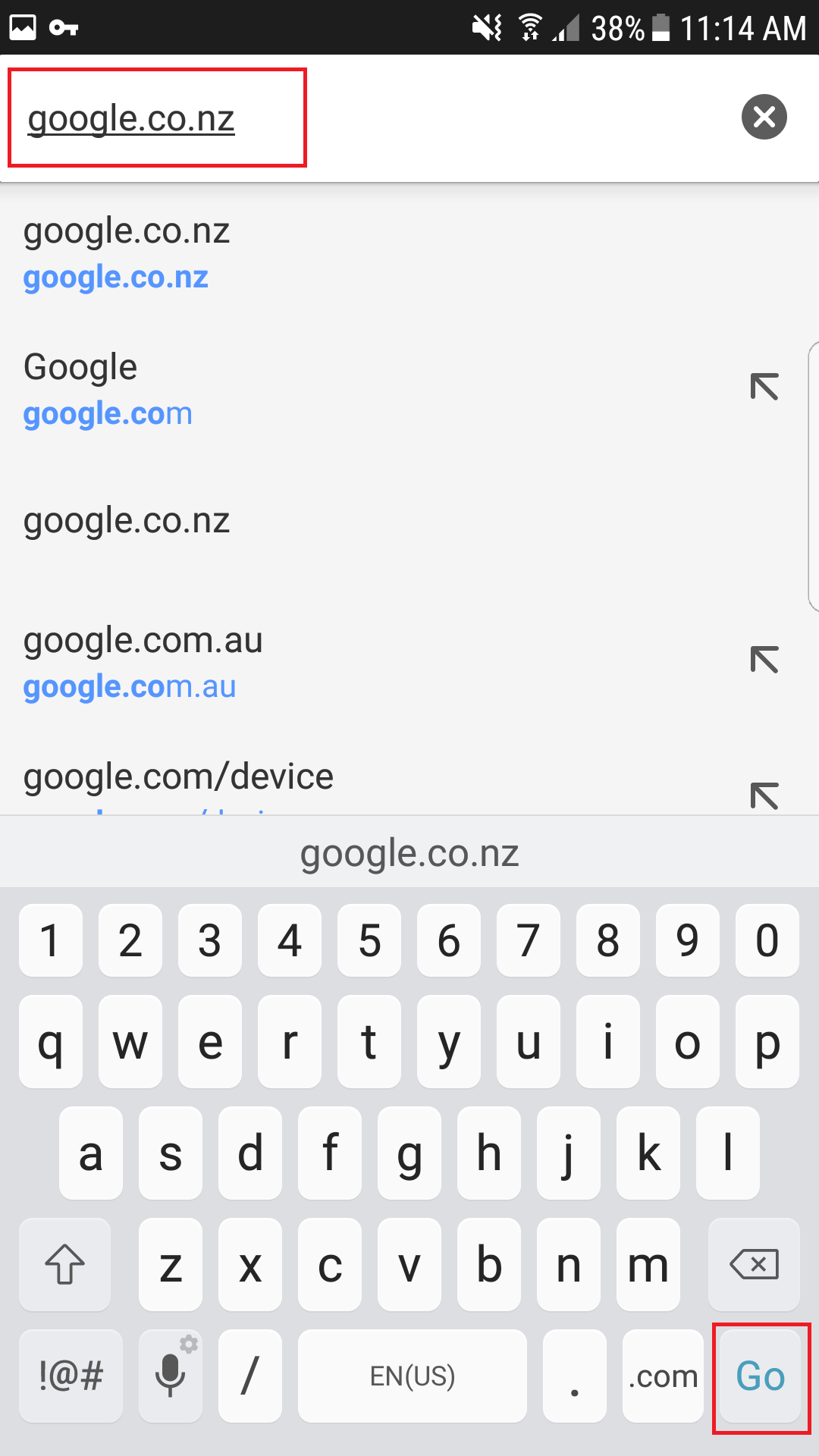
- Type google.co.nz and tap Go
- Tap the
 button at the top-right of the screen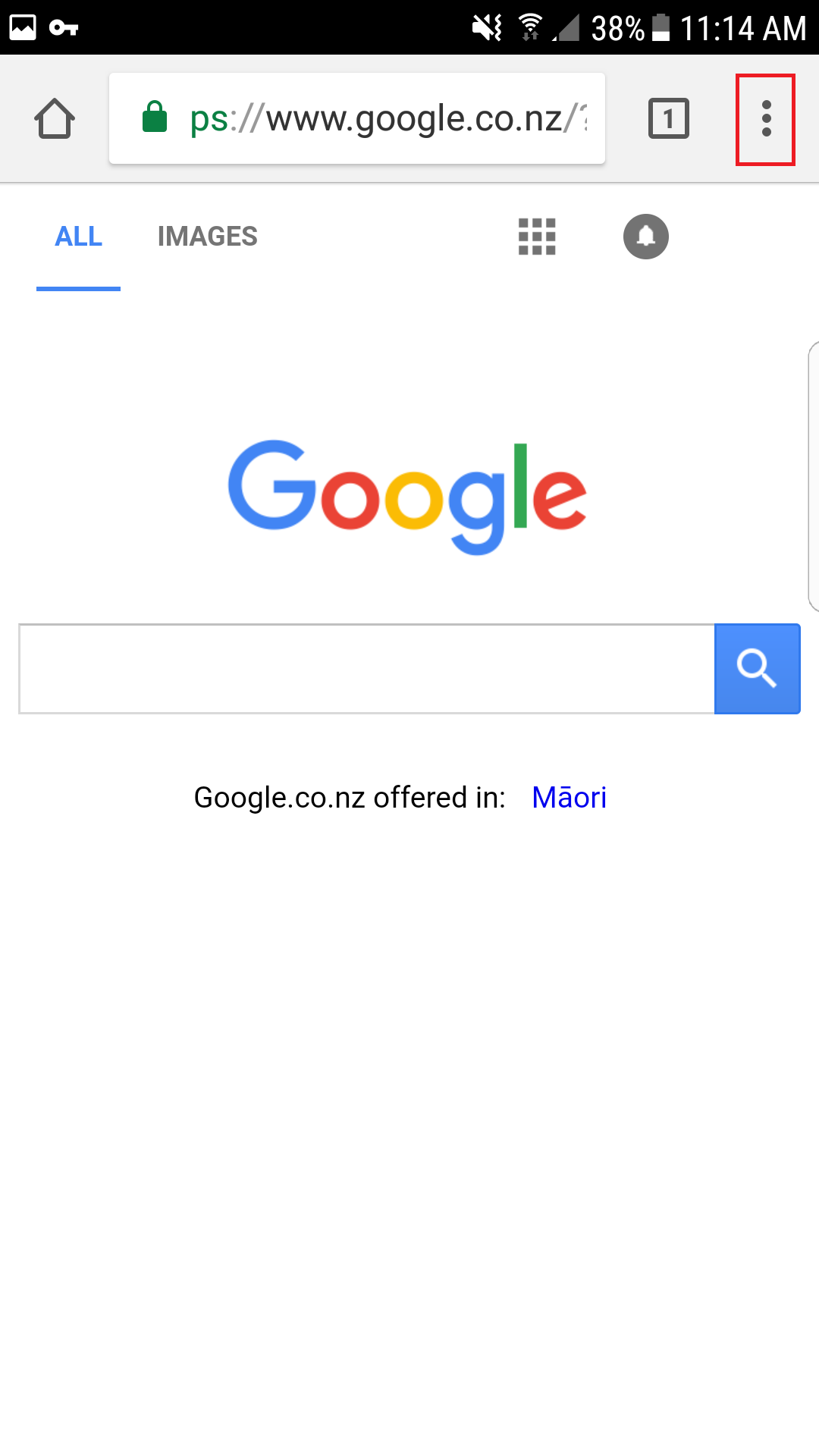
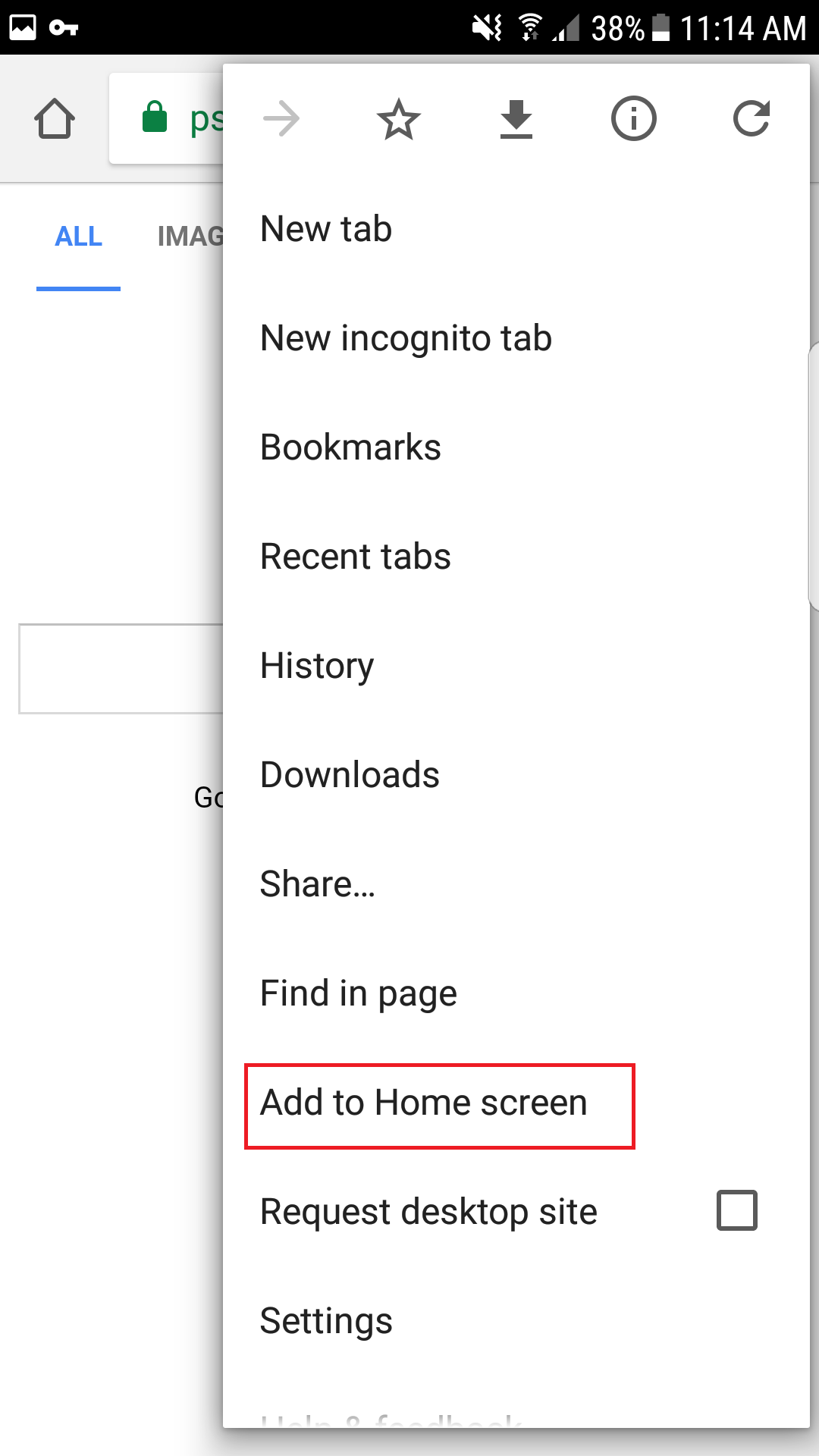
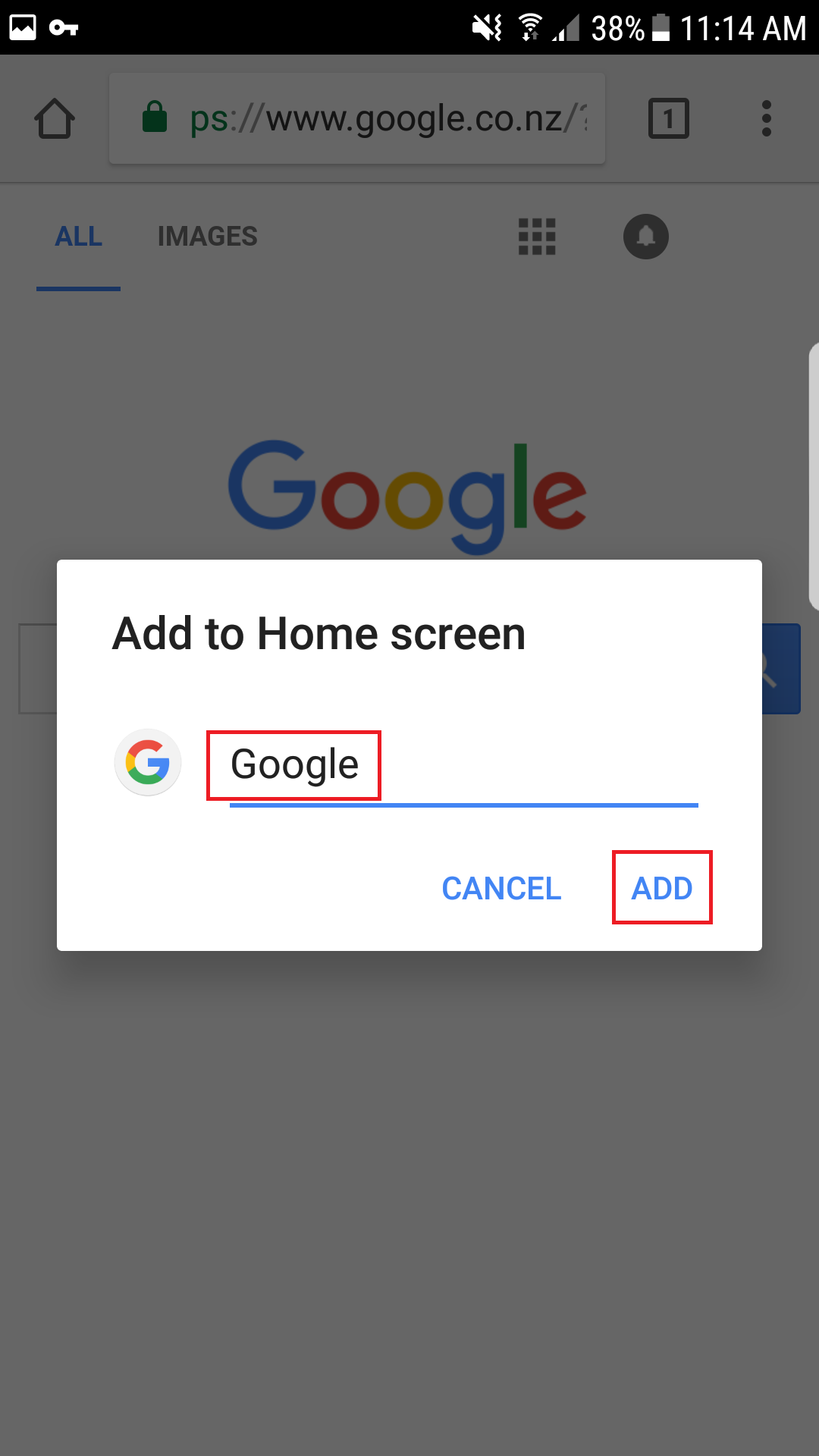
- Tap Add to Home Screen
- Choose a name for the shortcut, then tap Add
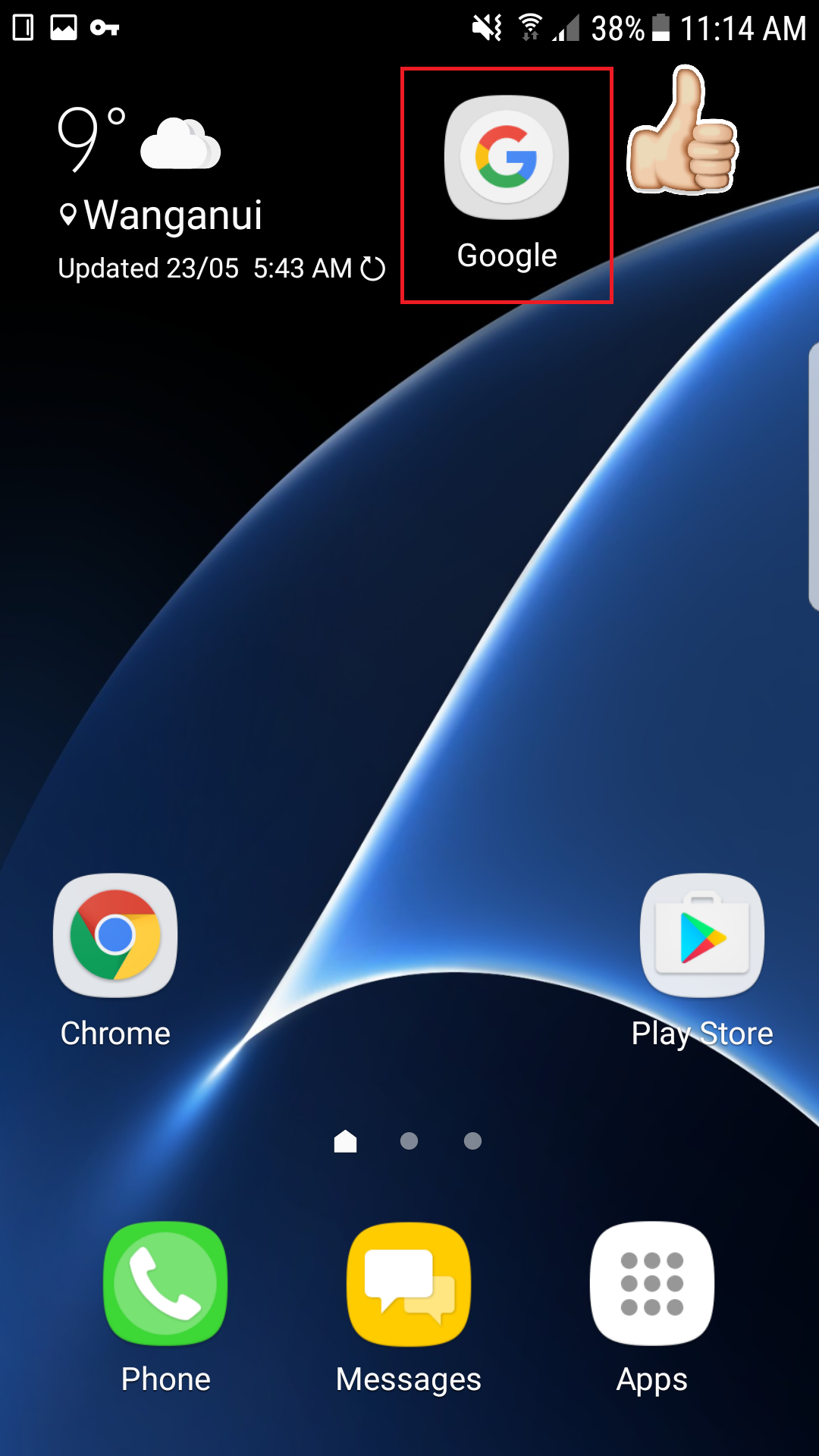
- Press the Home Button and Voila! A shortcut to Google NZ now appears on your Home Screen
 android
Comments
0 comments
Please sign in to leave a comment.